Physical Address
304 North Cardinal St.
Dorchester Center, MA 02124
Physical Address
304 North Cardinal St.
Dorchester Center, MA 02124


A senior partner at a mid-sized Lagos law firm once described her daily routine: shuffling between paper files, WhatsApp threads, and Excel spreadsheets just to track case deadlines. She missed a filing date — not because of incompetence, but because her systems couldn’t keep up. If that scenario sounds familiar, you’re not alone. Legal practice management software exists to solve exactly this problem, and choosing the right one can mean the difference between a firm that thrives and one that’s constantly firefighting.
At Techlava Softwares, we’ve worked directly with Nigerian legal practitioners and law firms to build and implement technology solutions that actually work in real-world conditions — including unreliable internet, power outages, and teams resistant to change. This guide breaks down what legal practice management software is, what features matter most, how the top platforms compare, and how to implement one without derailing your practice.
Legal practice management software is a centralized digital platform that helps law firms manage cases, clients, documents, billing, deadlines, and internal communications from one place. Instead of juggling disconnected tools — email for communication, spreadsheets for billing, physical folders for case files — everything lives in a single system designed specifically for legal workflows.
Think of it as the operating system for your law firm. It replaces the chaos of scattered information with structured, searchable, and trackable data. For a solo practitioner in Abuja handling 50 active matters, it means never losing a document again. For a 20-lawyer firm in Victoria Island, it means partners can see real-time billing data without waiting for month-end reports.
The core promise is simple: spend less time on administrative tasks so you can spend more time practising law. Studies across the legal industry consistently show that lawyers spend a significant portion of their workday — often estimated at around 30-40% — on non-billable administrative tasks. Legal practice management software directly targets that lost time and revenue.
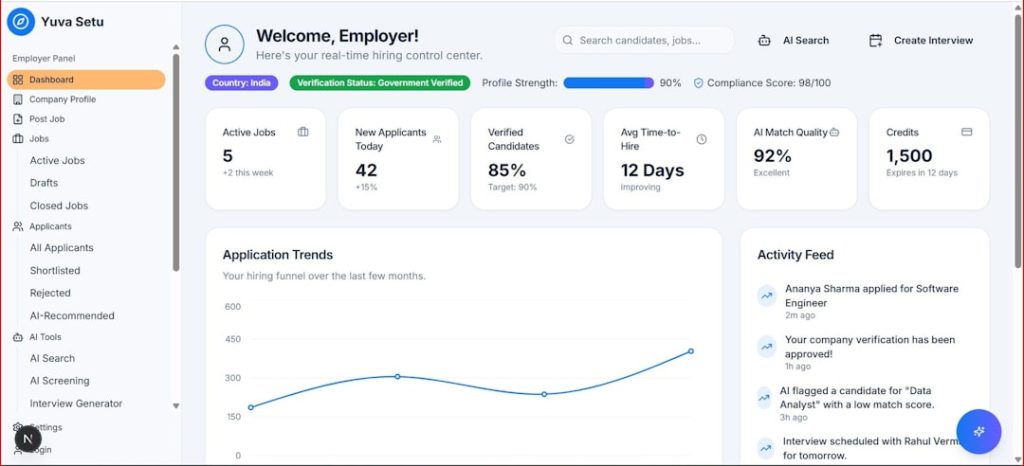
Not every feature in a legal practice management software platform will matter equally to your firm. But certain capabilities are non-negotiable — they form the foundation that everything else builds upon. Here are the features that separate genuinely useful software from flashy demos that disappoint in practice.
This is the core of any legal practice management system. You need the ability to create, organize, and track every matter your firm handles — with linked contacts, documents, notes, tasks, and billing entries all accessible from a single matter dashboard. Look for software that lets you customize matter types (litigation, conveyancing, corporate advisory, etc.) rather than forcing you into a one-size-fits-all structure.
If your firm still stores documents across individual laptops, USB drives, and shared folders with inconsistent naming conventions, you’re one hard drive failure away from disaster. A proper document management module provides version control, full-text search, secure storage, and template-based document generation. For Nigerian firms handling land transactions or company registrations, automated templates for standard filings can save hours per week.
Accurate time tracking directly impacts revenue. The best legal practice management software includes built-in timers, the ability to log time against specific matters, and automated invoice generation. For firms billing on a retainer or flat-fee basis (common in Nigerian corporate practice), look for flexible billing structures — not just hourly rate calculators.
Missing a court date or statute of limitations deadline is a malpractice claim waiting to happen. Court-date tracking with automated reminders, deadline calculators based on rules of court, and shared firm calendars are essential. This feature alone justifies the cost of the software for many firms.
Clients expect transparency. A client portal where they can check case status, view invoices, and exchange secure messages reduces the volume of “any update on my matter?” calls and emails. This is especially valuable for firms with high-volume client bases.
If you can’t measure it, you can’t manage it. Look for dashboards showing billable hours by lawyer, revenue per practice area, outstanding receivables, and matter profitability. For managing partners, these reports transform decision-making from gut feeling to data-driven strategy.
In Nigeria, infrastructure issues such as unstable power and limited bandwidth are daily realities. Any legal practice management software your firm adopts must work on mobile devices and, ideally, offer some degree of offline functionality. A system that only works with perfect internet connectivity will become a source of frustration rather than productivity.
If your firm is struggling with fragmented systems and you’re unsure which features to prioritize, our team at Techlava Softwares can help. We offer free consultations to assess your firm’s specific workflow and recommend the right technology stack.

The market for legal practice management software ranges from global enterprise platforms to Africa-focused solutions built with local realities in mind. Below is a comparison of leading options, evaluated on the criteria that matter most to law firms operating in Nigeria and across Africa — as well as international alternatives worth considering.
| Software | Best For | Key Strengths | Pricing Model | Mobile / Offline | Africa Suitability |
|---|---|---|---|---|---|
| Clio | Small to mid-sized firms globally | Robust integrations, client portal, cloud-based | From ~$39/user/month | Mobile app, cloud-based | Moderate — relies on stable internet |
| PracticePanther | Solo and small firms | Intuitive UI, built-in payments, automation | From ~$59/user/month | Mobile app available | Moderate — USD pricing can be steep |
| MyCase | Client-facing firms | Strong client portal, integrated payments | From ~$39/user/month | Mobile app available | Moderate — no local support |
| Smokeball | Small firms focused on automation | Auto time tracking, deep document automation | Contact for pricing | Desktop-focused with mobile companion | Low — limited presence outside US/UK/AU |
| LEAP | Small to mid-sized firms | All-in-one platform, accounting integration | Contact for pricing | Cloud and mobile | Low — primarily US/UK/AU markets |
| SoftDox (by Techlava) | Nigerian and African law firms | Built for local workflows, offline capability, Naira billing | Contact Techlava for details | Mobile-first, offline support | High — designed for African market |
A few honest observations about this landscape: Global platforms like Clio and PracticePanther are mature and feature-rich, but they come with trade-offs for African firms. Pricing in USD can be prohibitive when converted to Naira. Customer support operates in US/UK time zones. And most importantly, these tools assume reliable, high-speed internet — something that isn’t guaranteed in many Nigerian cities, let alone rural areas.
SoftDox, developed by Techlava Softwares, was purpose-built to address these gaps. It handles Nigerian-specific workflows (like court filing systems and local regulatory requirements), supports offline access for when connectivity drops, and prices in local currency. The trade-off is that it may not yet have the breadth of third-party integrations that a platform like Clio offers — but for firms operating primarily in Nigeria and West Africa, that trade-off is often worth making.
The right legal practice management software depends on three factors: your firm’s size, your practice areas, and your infrastructure reality. A 3-lawyer litigation boutique in Lagos has fundamentally different needs than a 50-lawyer full-service firm with offices in Abuja and Port Harcourt. Here’s a framework to guide your decision.
Before evaluating any software, document how your firm currently operates. Map out how matters are opened, how documents are stored, how time is tracked, how invoices are generated, and how deadlines are monitored. This audit reveals your actual pain points — not the ones a software vendor tells you that you have.
From your audit, create a ranked list of must-have features versus nice-to-haves. For a litigation-heavy firm, calendar and deadline management may be the top priority. For a firm doing high-volume conveyancing, document automation is likely more critical. Don’t let a demo of AI-powered analytics distract you from whether the software can reliably track your court dates.
Most platforms offer free trials or demos. Use them — but don’t just click around the interface. Load actual matter data. Try generating a real invoice. Test it on your office internet connection, not just on the vendor’s demo network. If the software can’t handle your typical Tuesday morning, it won’t work long-term.
The sticker price is rarely the full cost. Factor in data migration, training time (during which productivity drops), customization fees, and ongoing subscription costs. For international platforms, also factor in currency fluctuation risk if you’re paying in USD from a Naira-denominated account. A platform at $39/user/month sounds affordable until you multiply it by 15 users, 12 months, and a volatile exchange rate.
Will the vendor still exist in five years? Can you reach support during Nigerian business hours? Is there a local implementation partner? These questions matter more than feature lists. A slightly less feature-rich platform with responsive local support will outperform a global powerhouse where your support ticket sits in a queue behind 10,000 US law firms.

Buying the software is the easy part. The hard part — and where most firms fail — is implementation. A poorly managed rollout can set your firm back months and create lasting resistance to the technology. Here’s how to get it right.
Don’t roll out to the entire firm at once. Select one practice group or a small team of tech-willing lawyers and staff to use the system first. Let them find the bugs, develop workarounds, and become internal champions before you expand. Their feedback will be invaluable for customizing the system before the wider rollout.
Migrating existing case data, client records, and documents into a new system is time-consuming but essential. Resist the temptation to start with a “clean slate” unless your firm is genuinely new. Lawyers need historical data to do their jobs, and a system without it will be ignored in favour of the old filing cabinet.
Partners, associates, and support staff use the software differently. Train each group on their specific workflows rather than running everyone through the same generic demo. A partner needs to know how to review reports and approve invoices. A paralegal needs to know how to create matters, upload documents, and set deadlines. Role-based training is faster and stickier.
If you’ve actually managed a technology transition in a law firm, you know that the biggest obstacle isn’t the software — it’s people. Senior lawyers who’ve practised for 20 years with paper files will resist. Address this directly: show them how the software saves them time on tasks they already dislike (billing, filing, deadline tracking). Frame it as an upgrade to their practice, not a disruption.
Running old and new systems in parallel indefinitely guarantees the new system will fail. Set a clear date after which the old system is no longer supported. This creates urgency and prevents the “I’ll switch over next week” mentality that can drag on for months.

Law firms handle some of the most sensitive data in any industry — client communications protected by legal professional privilege, financial records, personal identification documents, and confidential business information. Your legal practice management software must meet strict security and compliance standards. Anything less exposes your firm to regulatory penalties, malpractice claims, and reputational damage.
In Nigeria, the Nigeria Data Protection Act (NDPA) 2023 governs how personal data must be collected, stored, and processed. Any legal practice management software you adopt must comply with these requirements — including provisions for data subject consent, the right to data portability, and breach notification obligations. For firms with international clients, GDPR compliance may also be relevant. Verify that your chosen platform meets the data protection standards of every jurisdiction where your clients operate.
At minimum, your software should provide end-to-end encryption for data in transit and at rest, role-based access controls (so a junior associate can’t access partner-level financial data), multi-factor authentication, and comprehensive audit logs. If a platform cannot clearly articulate its encryption standards, walk away.
Cloud-based solutions offer automatic updates, easier remote access, and typically better disaster recovery. On-premise solutions give you more direct control over your data but require in-house IT expertise and infrastructure investment. For most Nigerian law firms — especially those without dedicated IT teams — cloud-based platforms with strong security credentials are the more practical and often more secure choice. The key is ensuring the cloud provider’s data centres meet international security certifications like ISO 27001 or SOC 2.
Beyond regulatory compliance, lawyers have professional ethical obligations regarding client confidentiality. The Rules of Professional Conduct for legal practitioners in Nigeria impose duties of confidentiality that extend to digital records. Before adopting any platform, consult your firm’s ethics guidelines and ensure the software’s data handling practices don’t create conflicts with your professional obligations.
Below are answers to the most common questions law firms ask when evaluating legal practice management software.
The firms that will dominate the Nigerian legal market over the next decade are the ones making technology investments today. Legal practice management software isn’t a luxury — it’s the infrastructure that enables your firm to scale, serve clients better, and protect itself from the operational risks of outdated systems.
But the technology is only as good as the implementation behind it. Choosing the wrong platform, or implementing the right one poorly, can waste months of effort and significant budget.
That’s where we come in. Book a free project consultation with Techlava Softwares to discuss your firm’s specific requirements. Whether you’re a solo practitioner looking for a simple case management tool or a multi-office firm ready for a full digital transformation, we’ll help you evaluate your options, plan the implementation, and get your team up and running — no strings attached. You can also request a demo of SoftDox to see how a platform built specifically for Nigerian law firms handles the workflows and challenges you face every day. Contact Techlava Softwares today and take the first step toward a practice that works as hard as you do.